> For the complete documentation index, see [llms.txt](https://docs-it.docbits.com/llms.txt). Markdown versions of documentation pages are available by appending `.md` to page URLs; this page is available as [Markdown](https://docs-it.docbits.com/end-user-and-partner-section/end-user-section/dashboard/document-flow.md).

# Flusso Documento

## **Panoramica:**

Questa pagina fornisce una panoramica grafica dei vari passaggi che un documento ha attraversato fino a questo punto.

## **Come Accedere:**

### **Opzione 1:**

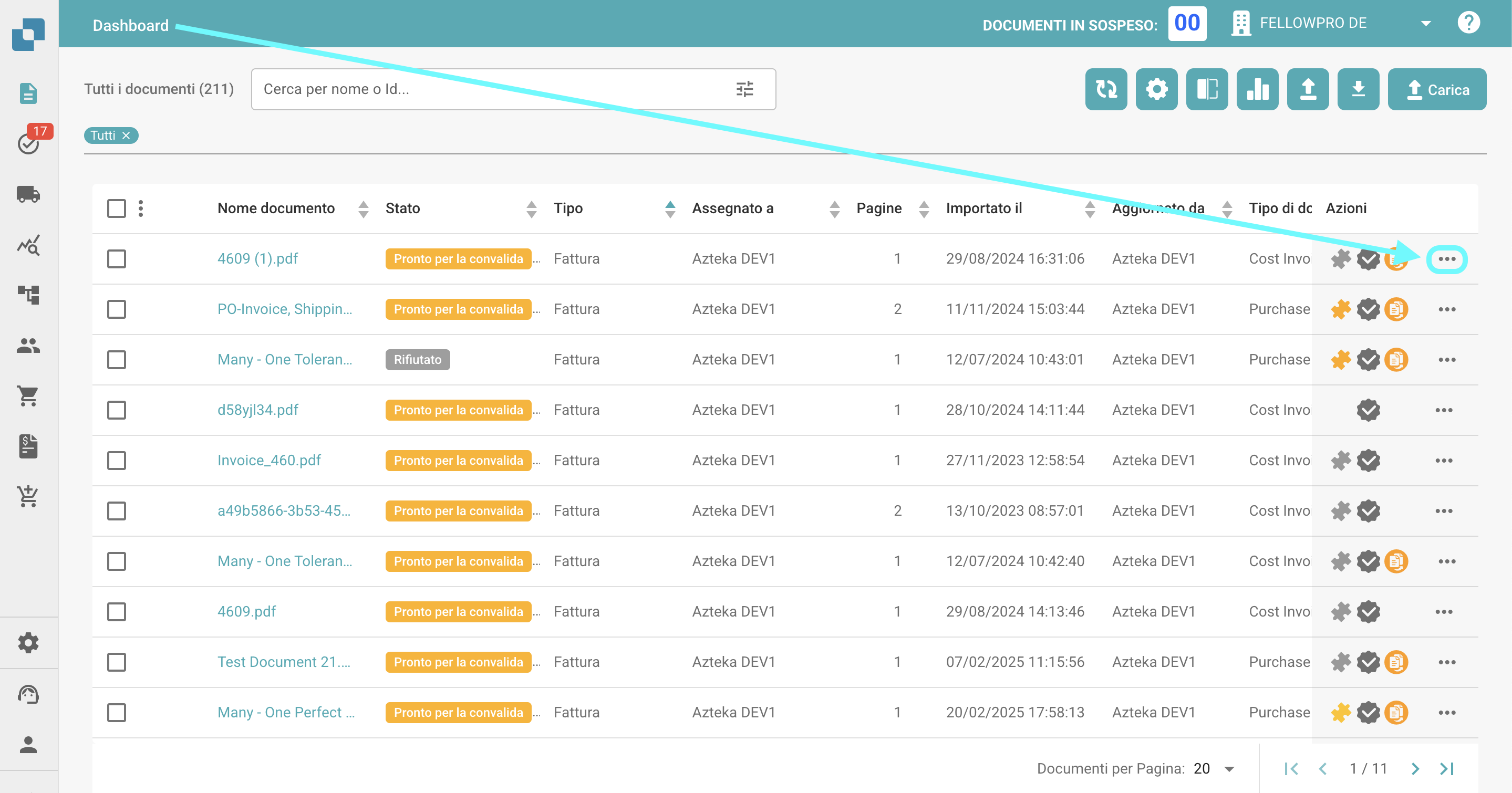
1. Naviga nella colonna delle azioni sul Dashboard e clicca sui tre puntini accanto al documento per il quale desideri visualizzare il flusso documento.

   <figure><img src="/files/hNFehI9bEpxAb12qkmTV" alt=""><figcaption></figcaption></figure>
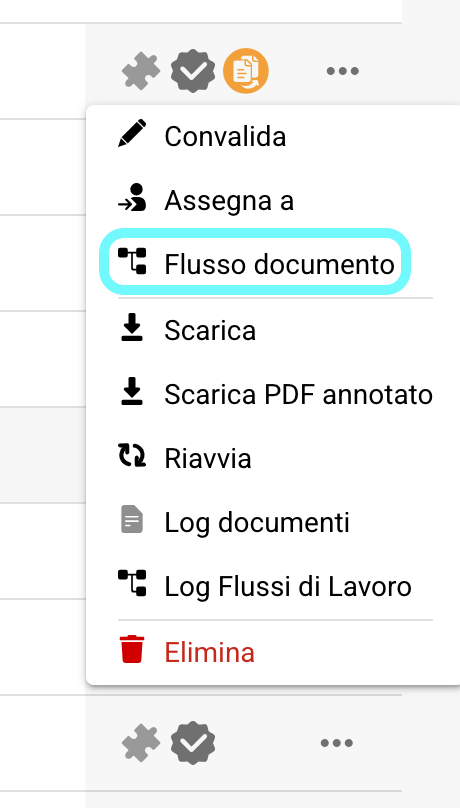
2. Seleziona **Flusso Documento**.

   <figure><img src="/files/JDBjKQ5XrH4vQUSaFcwm" alt="" width="230"><figcaption></figcaption></figure>

### **Opzione 2:**

1. Apri il documento per il quale desideri visualizzare il flusso documento.
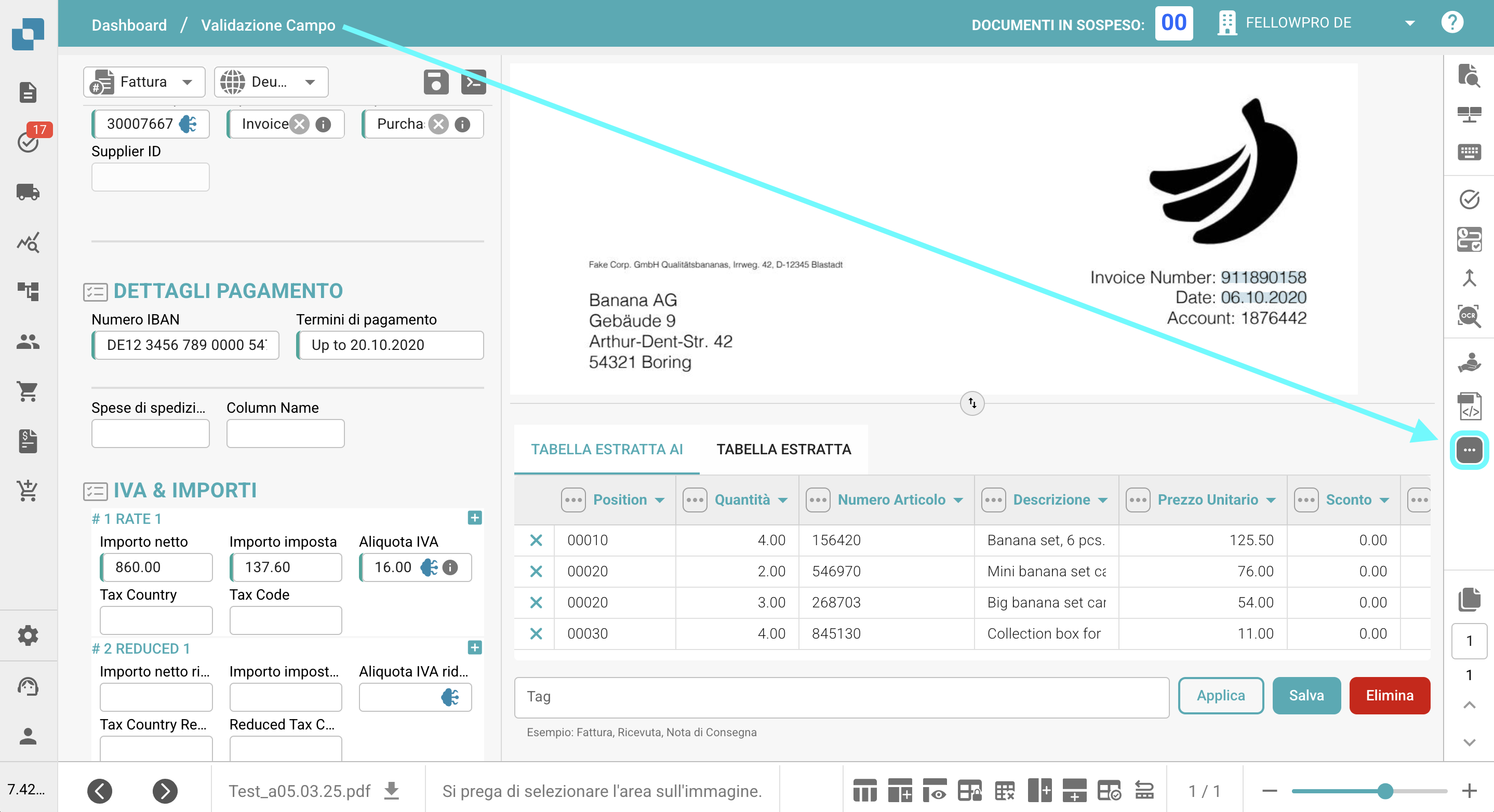
2. Clicca sui tre puntini sul lato destro della Validazione Campo.

   <figure><img src="/files/MgTy59HGX7JTHqoczU5c" alt=""><figcaption></figcaption></figure>
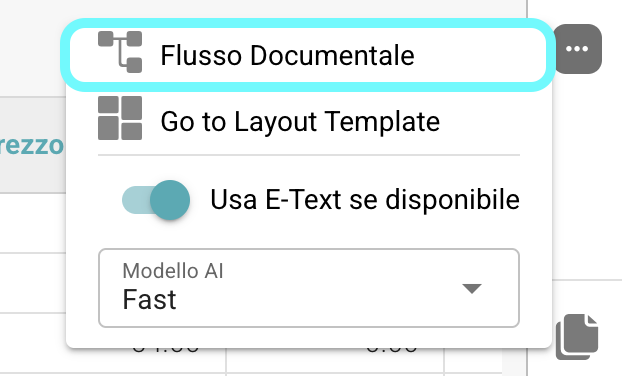
3. Seleziona **Flusso Documento**.

   <figure><img src="/files/Uoe0wlfQxQYtSUMwqgQe" alt="" width="311"><figcaption></figcaption></figure>

## **Descrizione:**

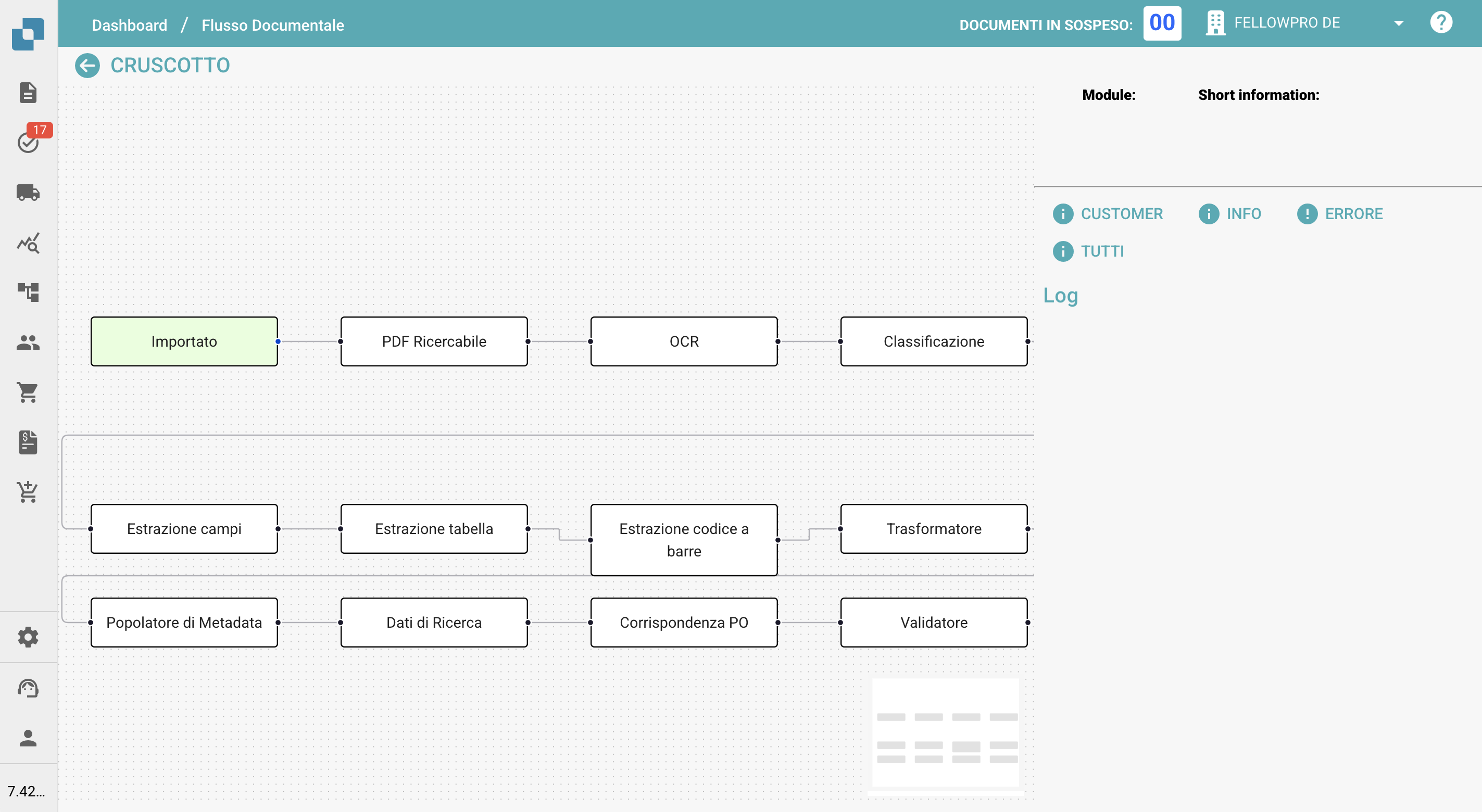
Sul lato sinistro dello schermo, vedrai i singoli passaggi del flusso documento, elencati da sinistra a destra.

<figure><img src="/files/lDK0khVWln87STlNbMmd" alt=""><figcaption></figcaption></figure>

* I passaggi che avviano il processo di flusso documento (come importazione o riavvio) appariranno in verde.
* Per navigare tra i passaggi, basta trascinarli e rilasciarli sullo schermo.
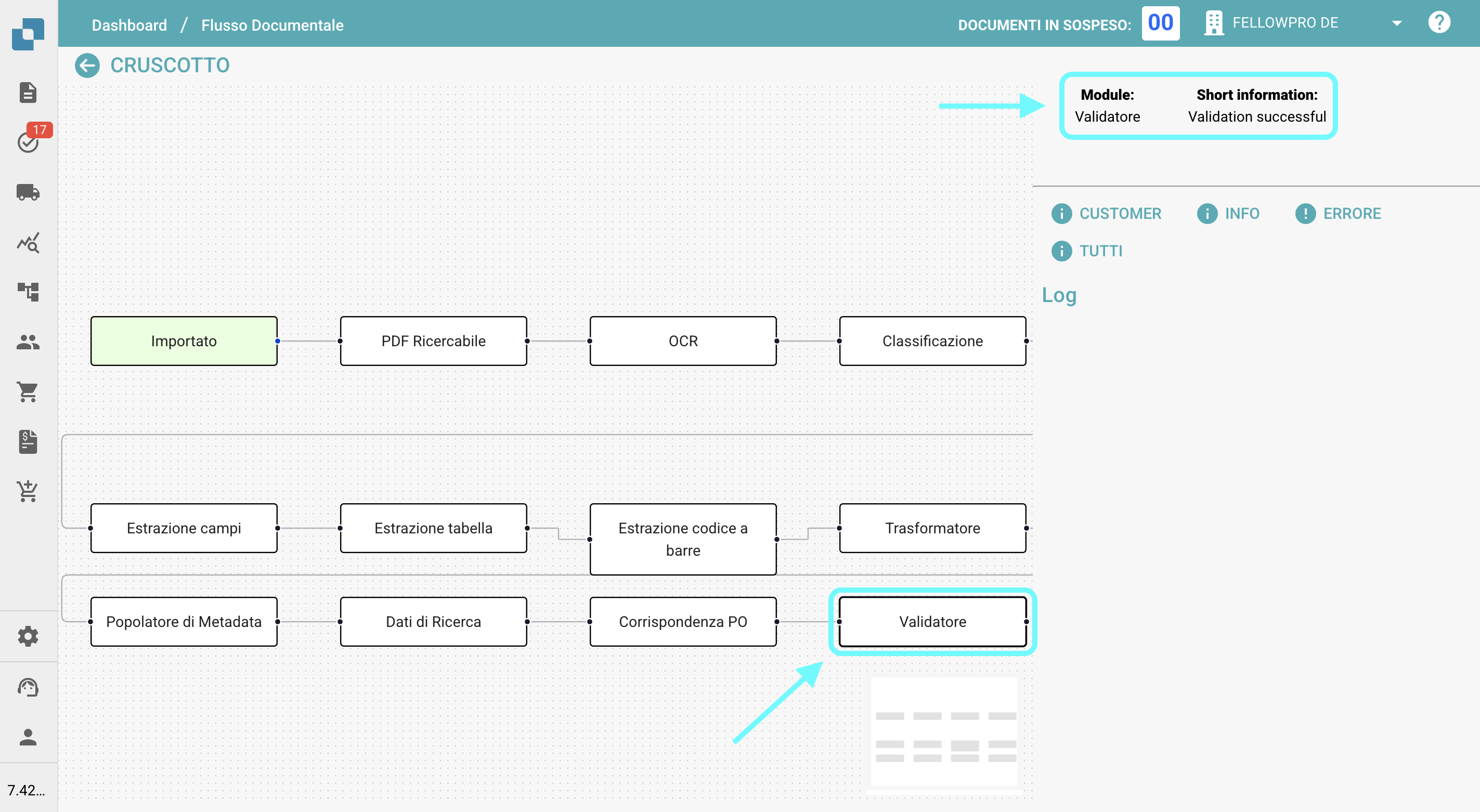
* Quando clicchi su un passaggio, il nome del modulo e informazioni su se il passaggio è stato completato con successo o meno appariranno sul lato destro dello schermo.
  <figure><img src="/files/EeP5kvwfbgTeLUxpHlx5" alt=""><figcaption></figcaption></figure>


---

# Agent Instructions
This documentation is published with GitBook. GitBook is the documentation platform designed so that both humans and AI agents can read, navigate, and reason over technical content effectively. Learn more at gitbook.com.

## Querying This Documentation
If you need additional information that is not directly available in this page, you can query the documentation dynamically by asking a question.

Perform an HTTP GET request on the current page URL with the `ask` query parameter, and the optional `goal` query parameter:

```
GET https://docs-it.docbits.com/end-user-and-partner-section/end-user-section/dashboard/document-flow.md?ask=<question>&goal=<endgoal>
```

`ask` is the immediate question: it should be specific, self-contained, and written in natural language.
`goal` is optional and describes the broader end goal you are ultimately trying to accomplish on behalf of the user. GitBook uses it to tailor the answer towards what is most useful for that goal.

The response will contain a direct answer to the question and relevant excerpts and sources from the documentation.

Use this mechanism when the answer is not explicitly present in the current page, you need clarification or additional context, or you want to retrieve related documentation sections.